Your agents are smart.
Now make them professional.
Read once. Test twice. Ask first. iMcode gives any model the habits of a senior engineer: it maps your code, tests what it builds, coordinates with other agents, and checks for security, AI governance and guardrails.
- 25 model providers, plus any OpenAI-compatible server
- 221 skills built in, 33 on from the start
- 131 connectors to the tools you already use
- 6 permission modes, from Ask to Bypass
- 0 accounts, sign-ins or telemetry
See every main feature in two minutes
2 minutes 22 seconds, no sound. Every screen is the real app, working on Kite, a sandbox bank app built with iMcode. A scripted test model writes the agent's words, so the film is the same each time. The tools, the map and the screens run for real.
The habits of a senior engineer
- It learns your code before it reads it
- It makes every token count
- It shares your machine, one build at a time
- It talks to the other agents
- It tests on simulated phones by itself
- It gets the design approved before it builds
- It puts the right model on each job
- It checks security, AI governance and guardrails
- It fits the set-up you already have
From request
to reviewed code.
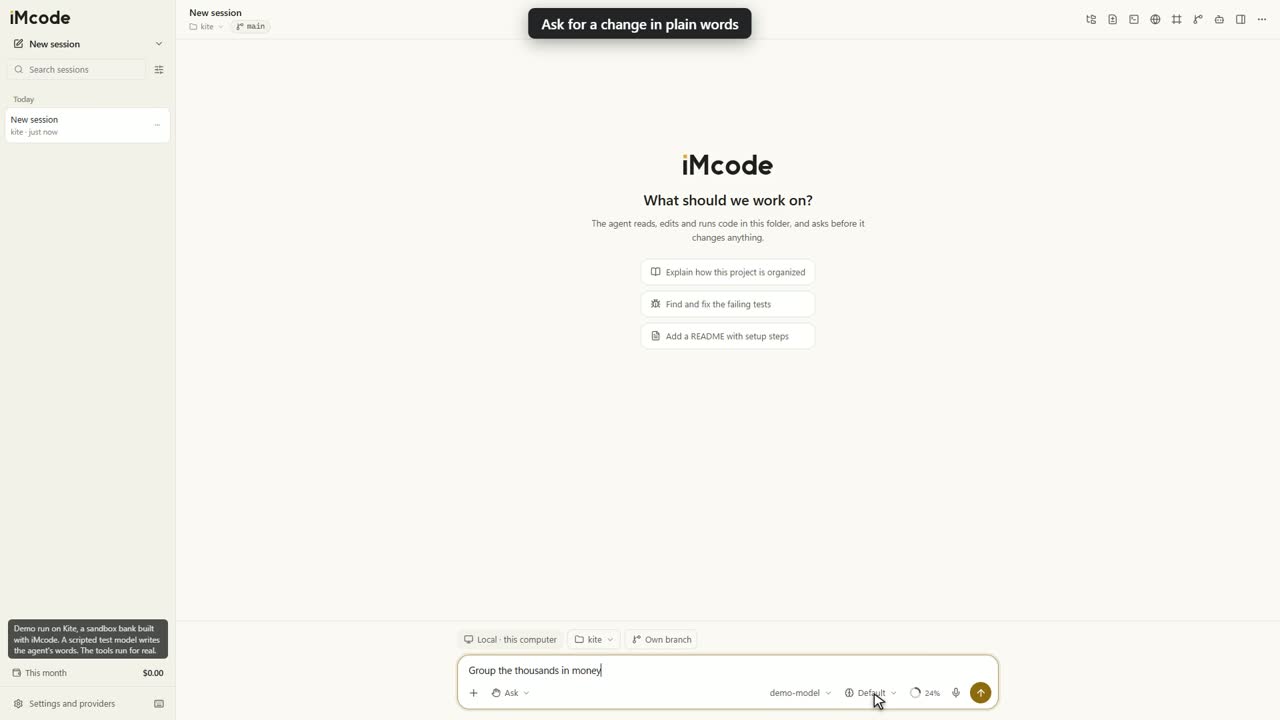
Start with a plain request
Describe the change in your own words. The same box holds your files, the model, the thinking effort and the context ring. Type @ to attach a file, / for a command or a skill, and ! to run a shell command yourself.
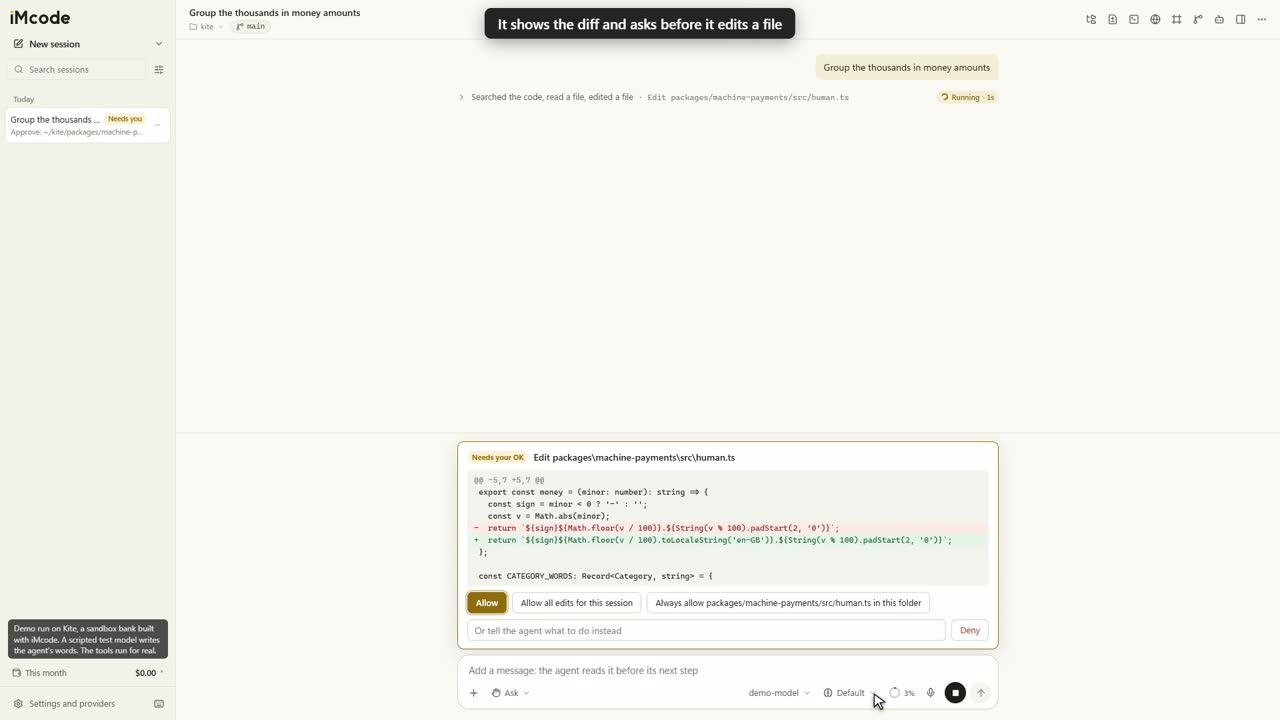
See the diff before the file changes
Agents read and search the folder by themselves. An edit waits for your decision: allow it once, allow it for this session, always allow it, or send it back with a note for the agent.
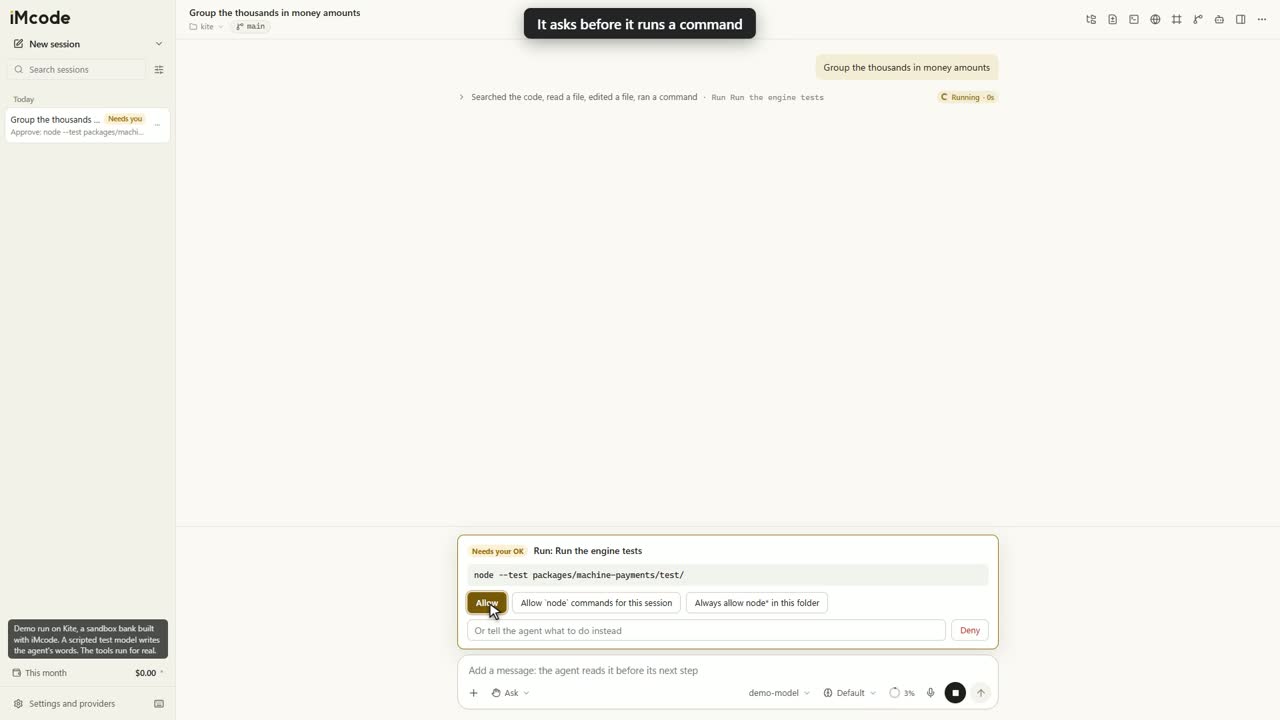
Commands are checked before they run
By default, read-only commands inside your working folders run right away, and every other command comes to you first. The check reads each command part by part: substitution, redirection, quotes and variables.
A clean record of every step
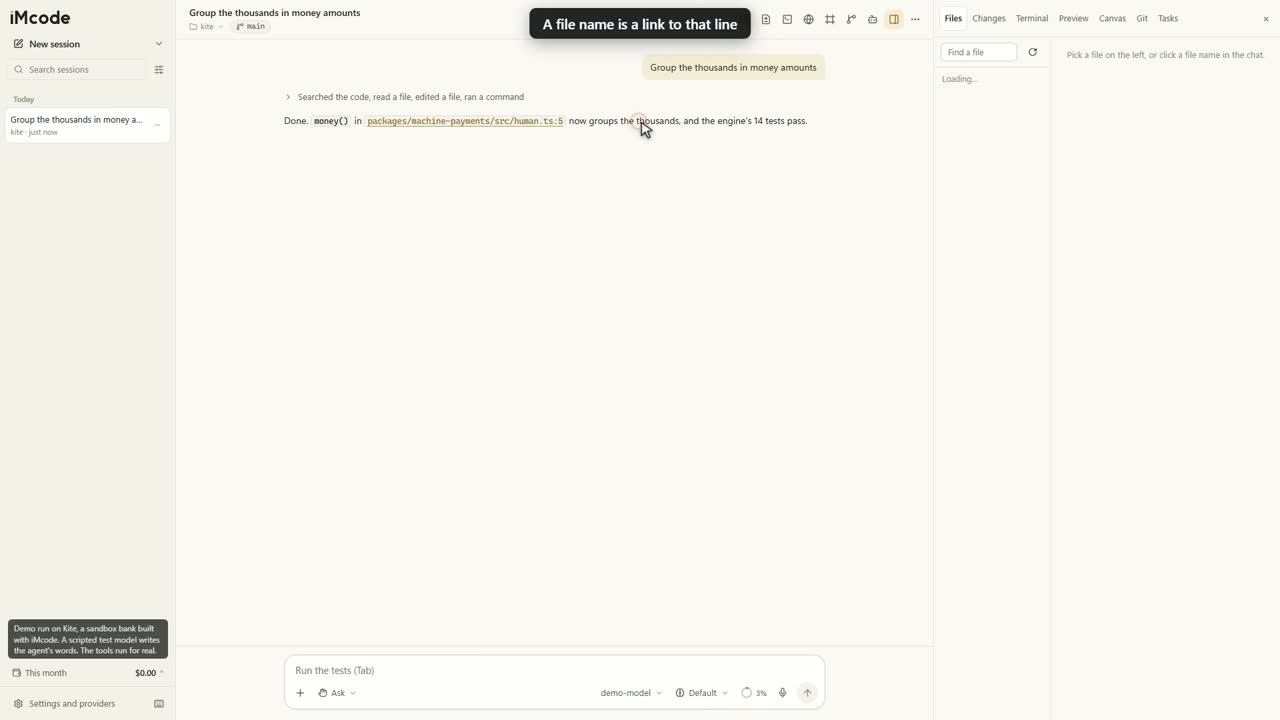
Tool steps fold into one plain line: searched the code, read 2 files, edited a file. Click it to see each step. A file name in a reply is a link to that line.
Review it like a pull request
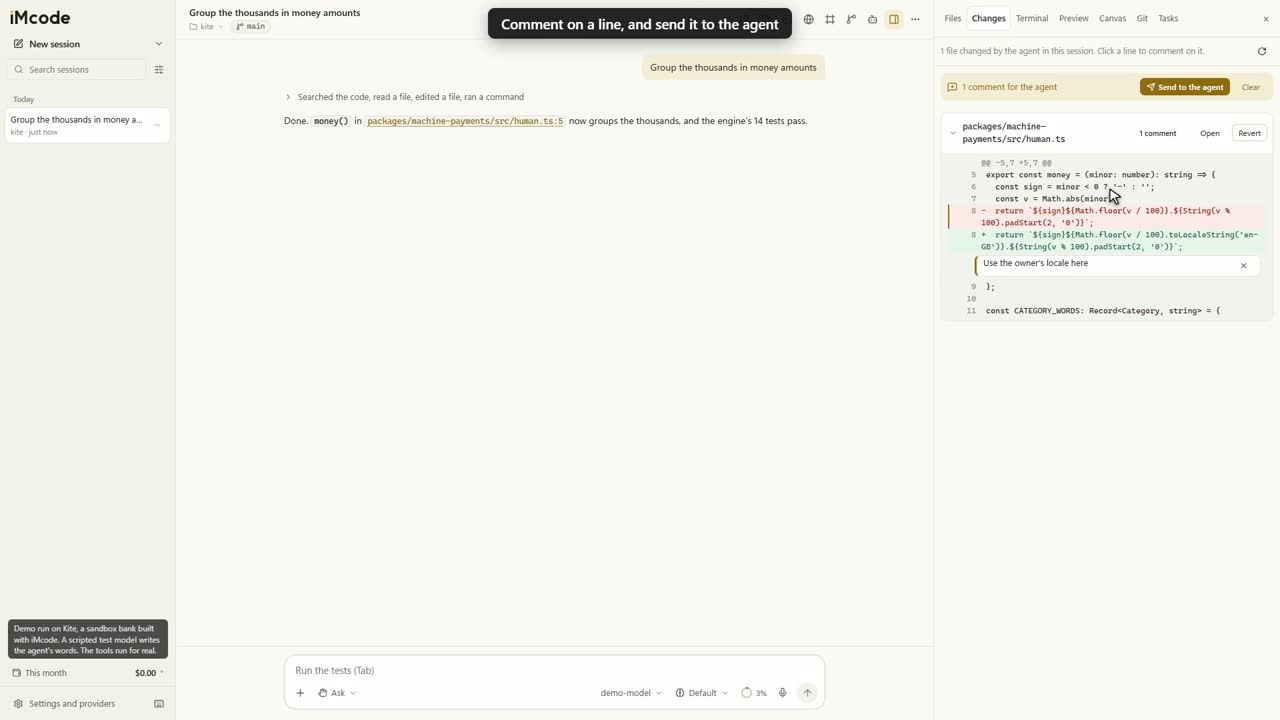
The Changes tab shows every edit as a diff, with Revert per file. Click a line, write a comment, and send all your comments to the agent in one message.
Steer it as it works
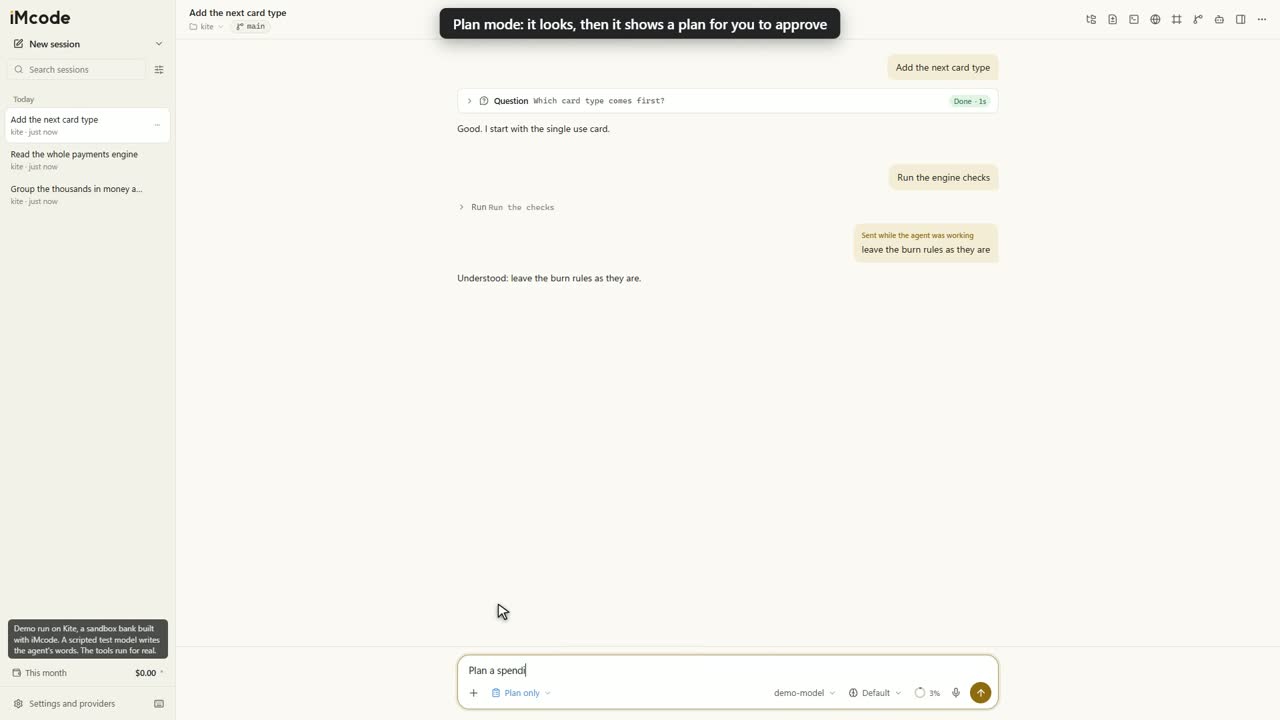
Keep typing. Your note shows in the chat, and the agent reads it before its next step. Until then, you can take it back.
Approve the plan before the work
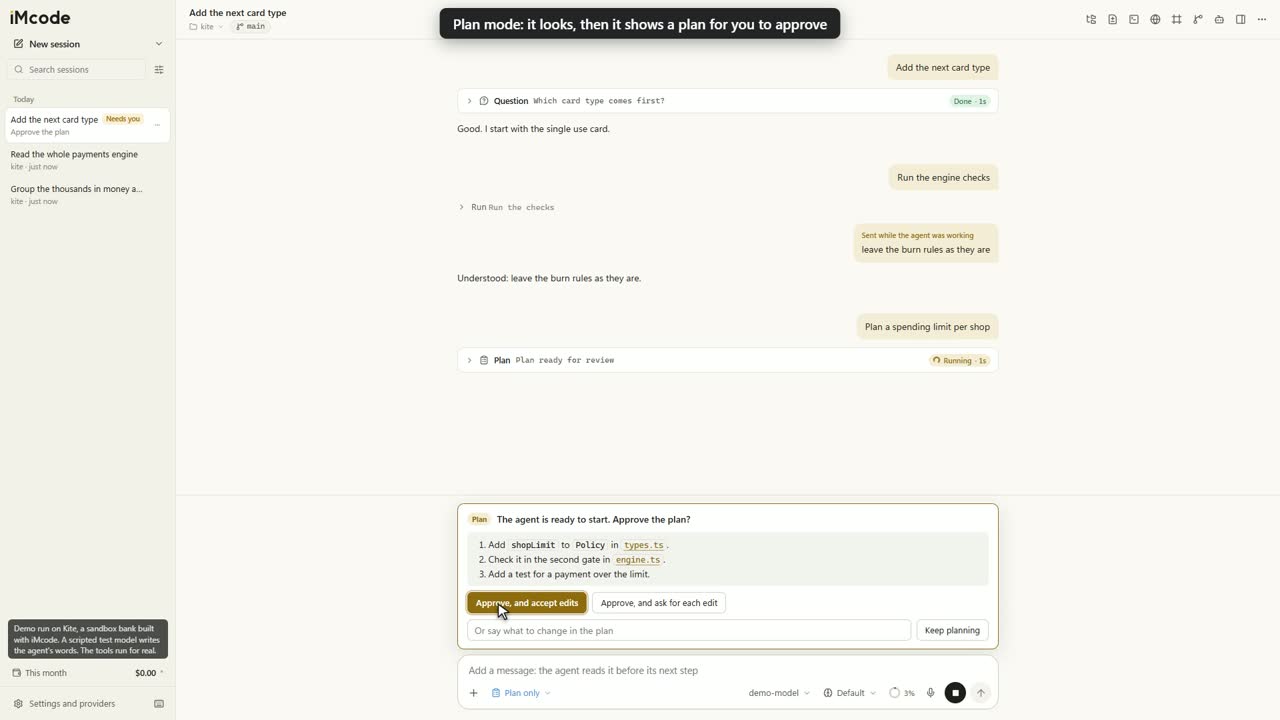
Plan mode starts with understanding. The agent looks through the code and ends with a plan for you to approve. Its task list then stays in the side panel, which keeps the chat clear.
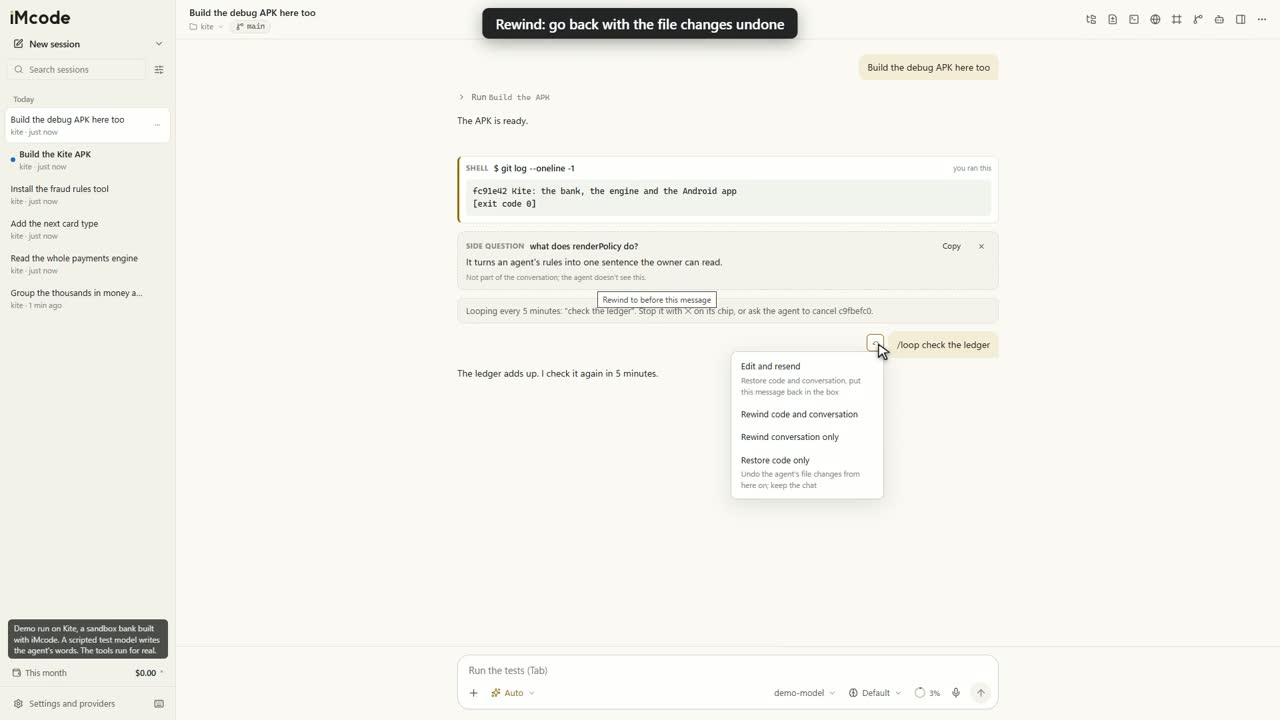
Roll back to any message, files included
Hover a message and rewind. Undo the agent's file changes and the chat together, or keep the files and rewind only the chat, or the other way round.
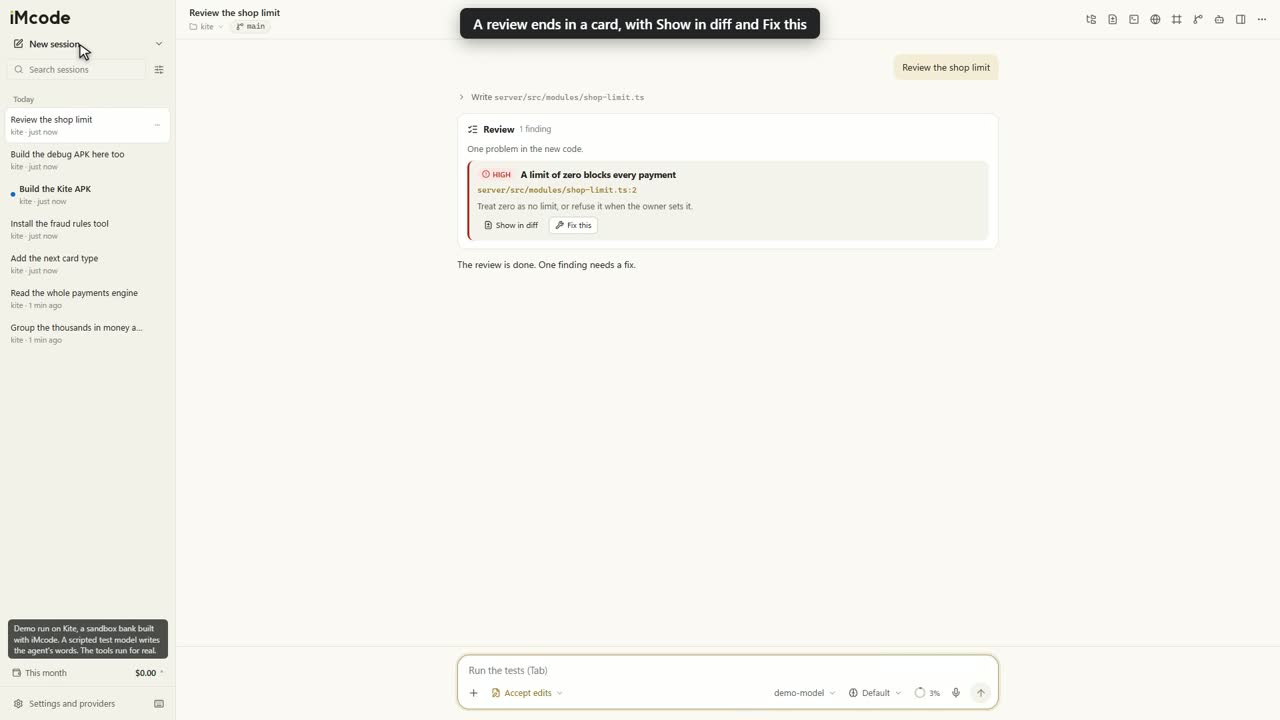
Code review and security review built in
/review and /security-review end in a card, with each finding's severity, file and line. Show in diff opens the change. Fix this, or Fix all, sends the agent back to work.
It knows your code before it reads it
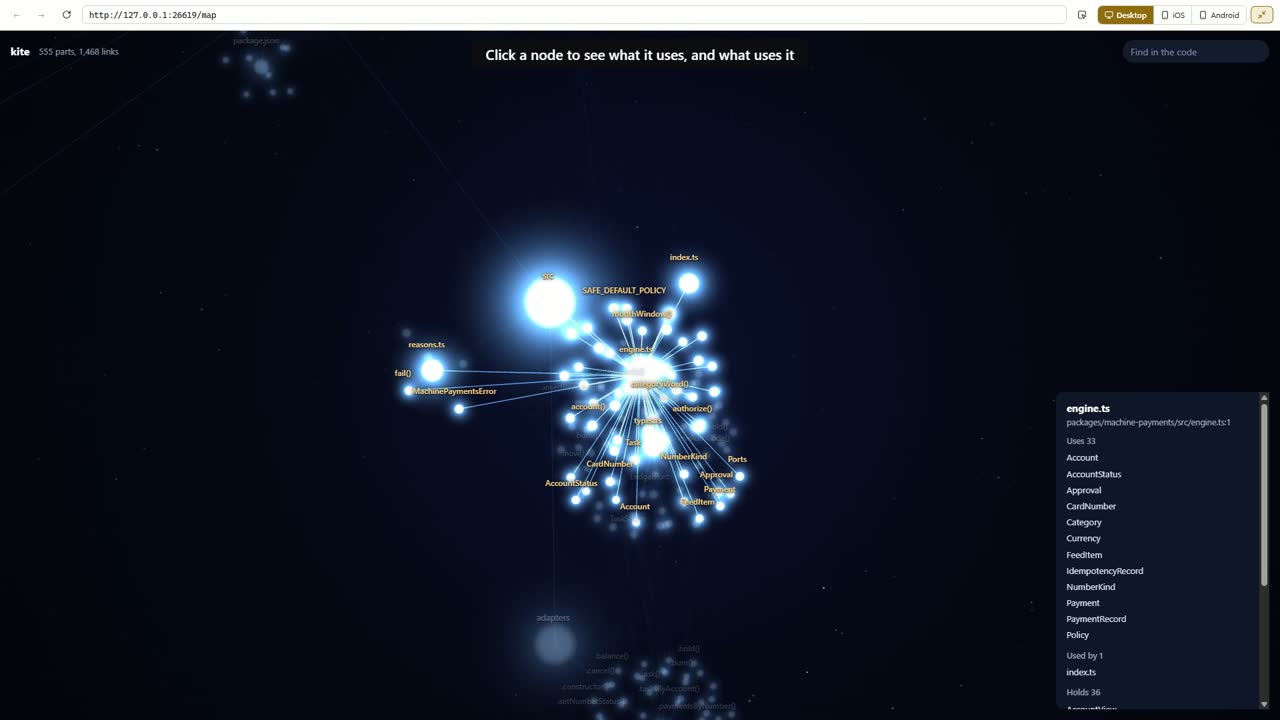
In any folder with code, git or not, iMcode builds a map by itself, in the background, on your computer, at zero token cost. Agents ask the map what is where, so they go straight to the right file. This one is iMcode's own code: 116 files and 704 exported names. Drag it. Search it.
The agent asks the map first
graphify explain, path and query run on your computer and answer what is where and what uses what, so the agent goes straight to the right file.
See your architecture in real 3D
Type /map. Your project sits in the centre, each folder a hub, with the code's own links between them. Click a node to see what it uses and what uses it.
Make every token count
This tower is one request. At every step of a long task, iMcode keeps it lean, in the same way for every provider.
- Results stay lean. Past 100,000 tokens, a long result older than the last six keeps its first 300 characters. The chat keeps all of it.
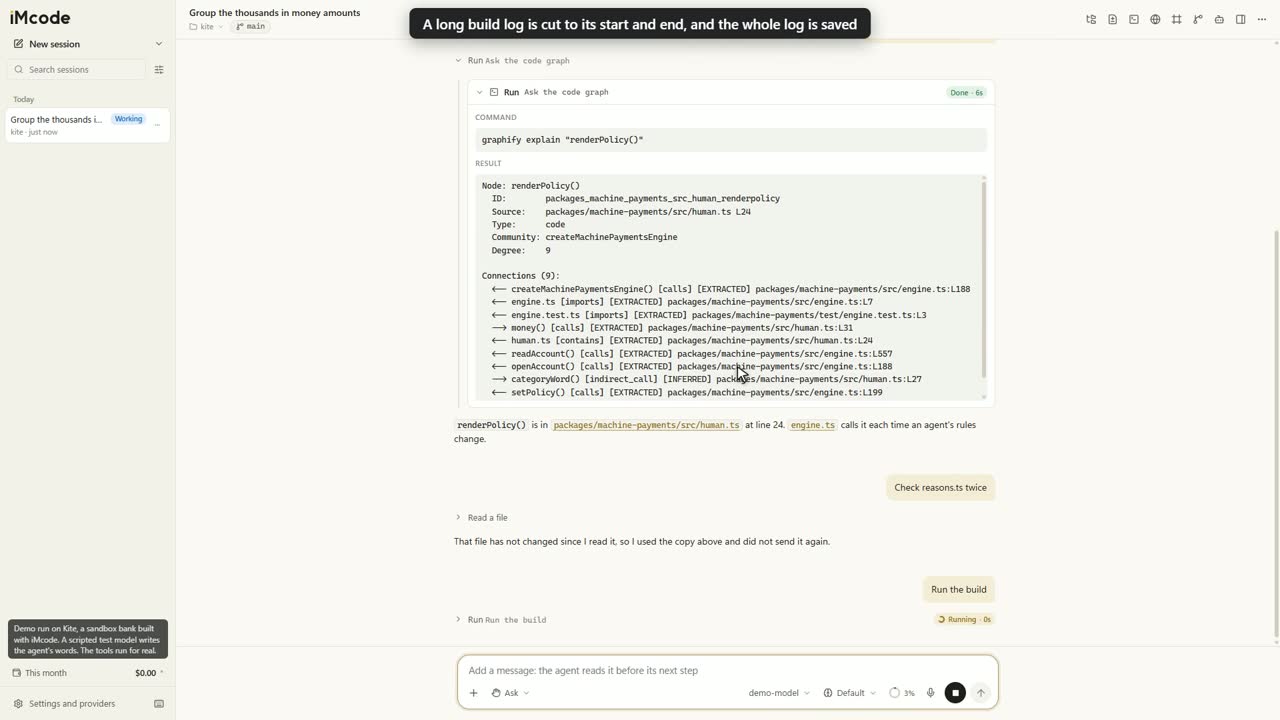
- Logs stay short. Command output holds about 3,000 tokens, the start and the end, with the path of the whole log.
- Tools load on demand. Tools the agent seldom uses wait until it needs them, which keeps each request small.
- The cache stays valid. Shortening happens in batches, so the fixed part of each request keeps reading from the prompt cache.
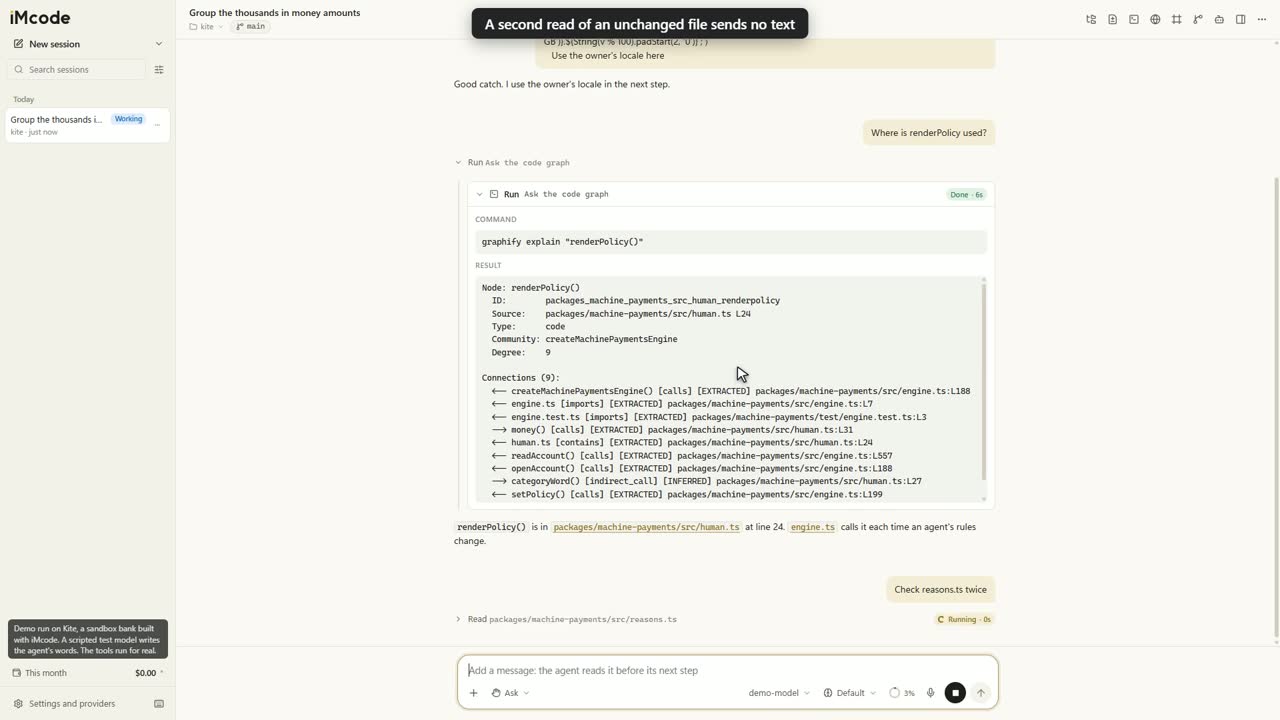
Repeat reads cost almost nothing
If a file is unchanged and its text is still whole in the conversation, the agent gets a short answer in place of the text. A changed file gets a full read.
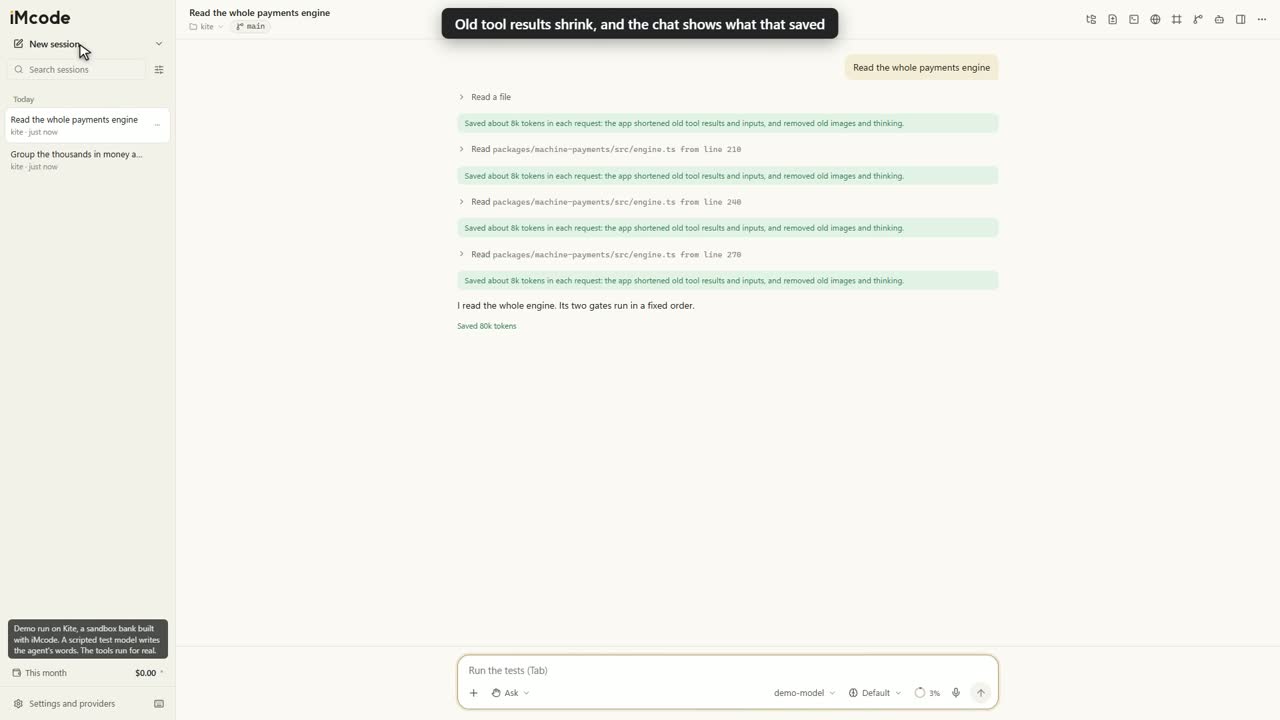
See every saving in the chat
A green line says how many tokens each request saved, and the session's sum sits in the context card. These are estimates of what the requests would have held. The amounts in this clip come from the test run.
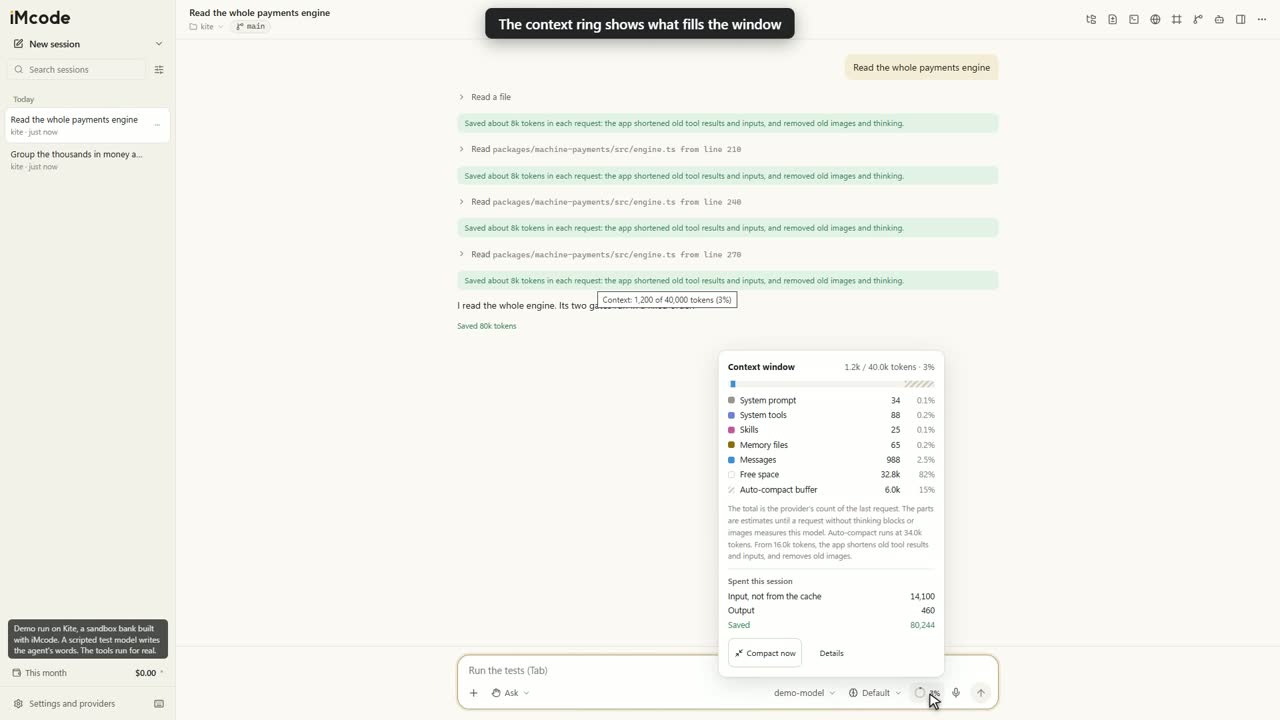
See what fills the window
Click the ring in the message box: system prompt, tools, skills, memory files and messages, plus what the session spent. At 85% the conversation is summarised before the next message.
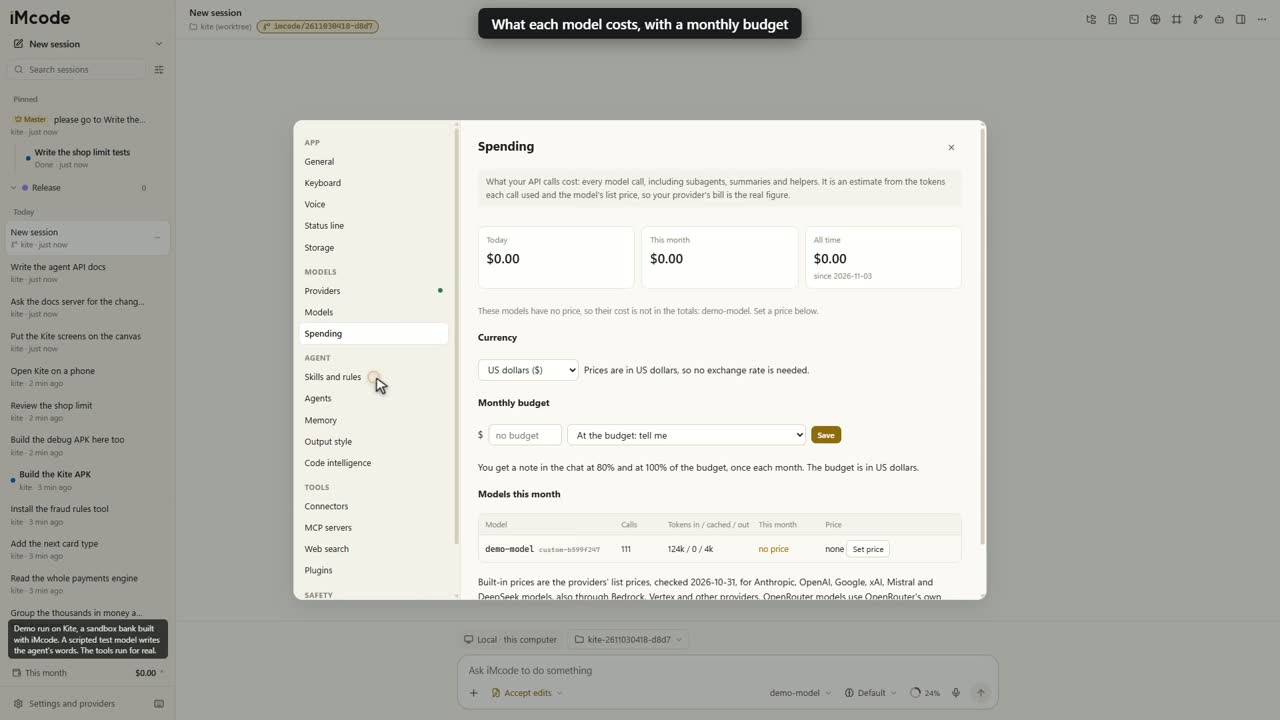
Track every cost, and set a limit
Today, this month and all time, for each model, in dollars, pounds or euros. A monthly budget adds a note at 80% and at 100%, and it can hold new messages at your limit. The figures are estimates from list prices.
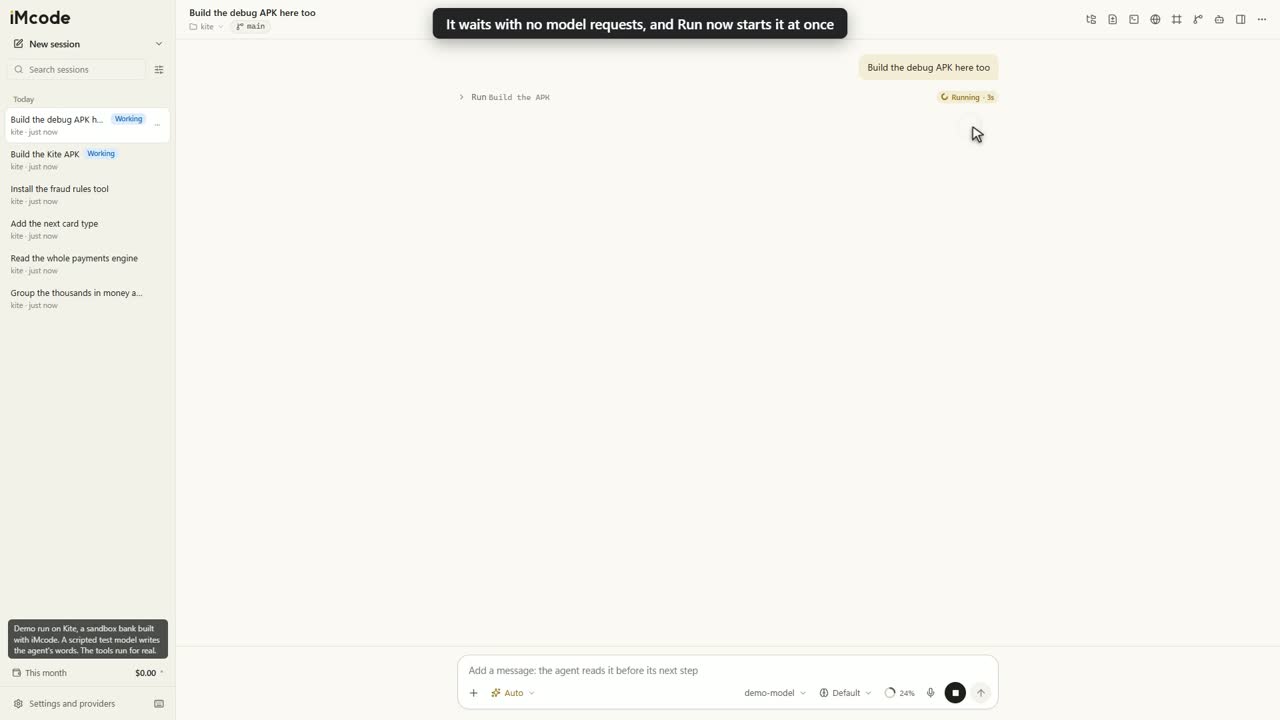
One build at a time
Installers, APKs and release builds from all your sessions take turns, so each one gets the full power of your computer. A waiting agent spends zero tokens, and its time limit starts when its build starts.
You stay in charge of the line
The step shows Waiting and its place in the queue. Run now starts it at once. Settings turns the queue off, and adds your own commands to it.
Agents that coordinate like a team
Any session can read and message the others. Ask in plain words, such as "help that session's agent build this", and the two agents talk until the work is done. Sessions can start nested sessions, and one master session can organise them all.
Coordination in plain conversation
It all happens in the chat you already use. A message from another agent is a line like any other step, and you stay in command: the agent acts on your own words.
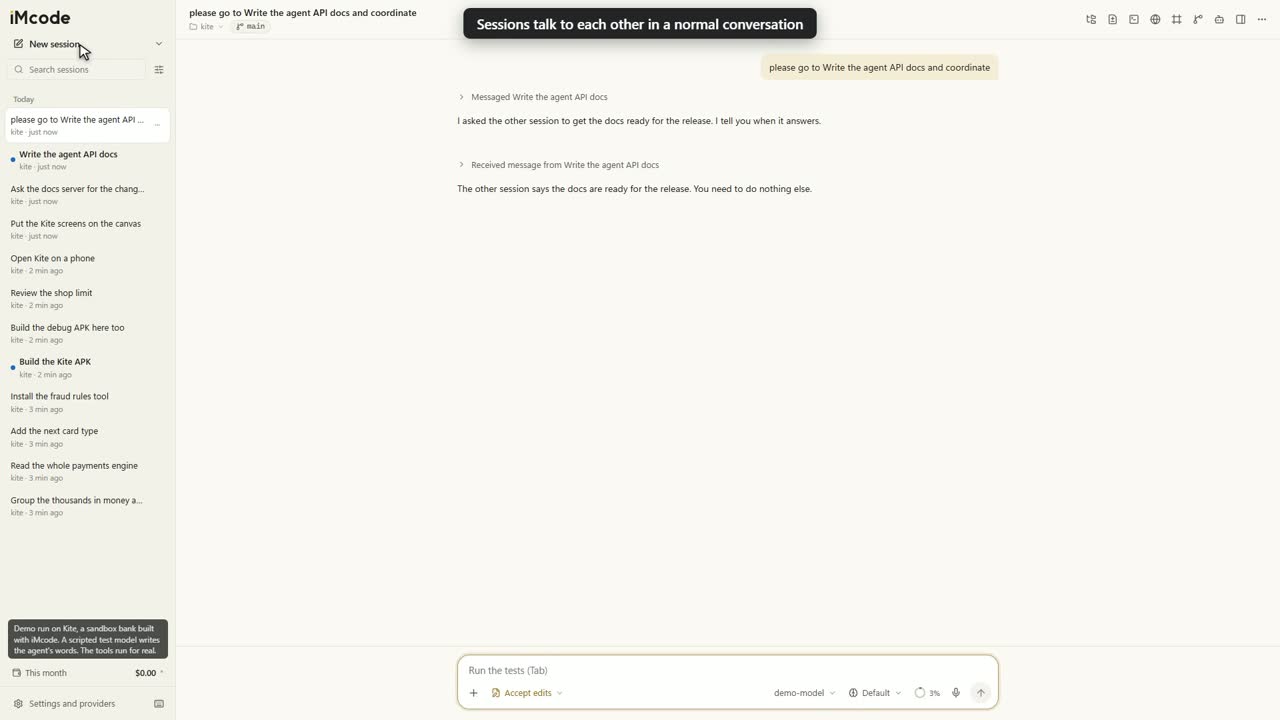
Nested sessions for parallel work
A session can start a full session for a separate task. You can open it, talk to it and guide it. In a git repository it works in its own worktree, and its last message comes back to the parent as a report.
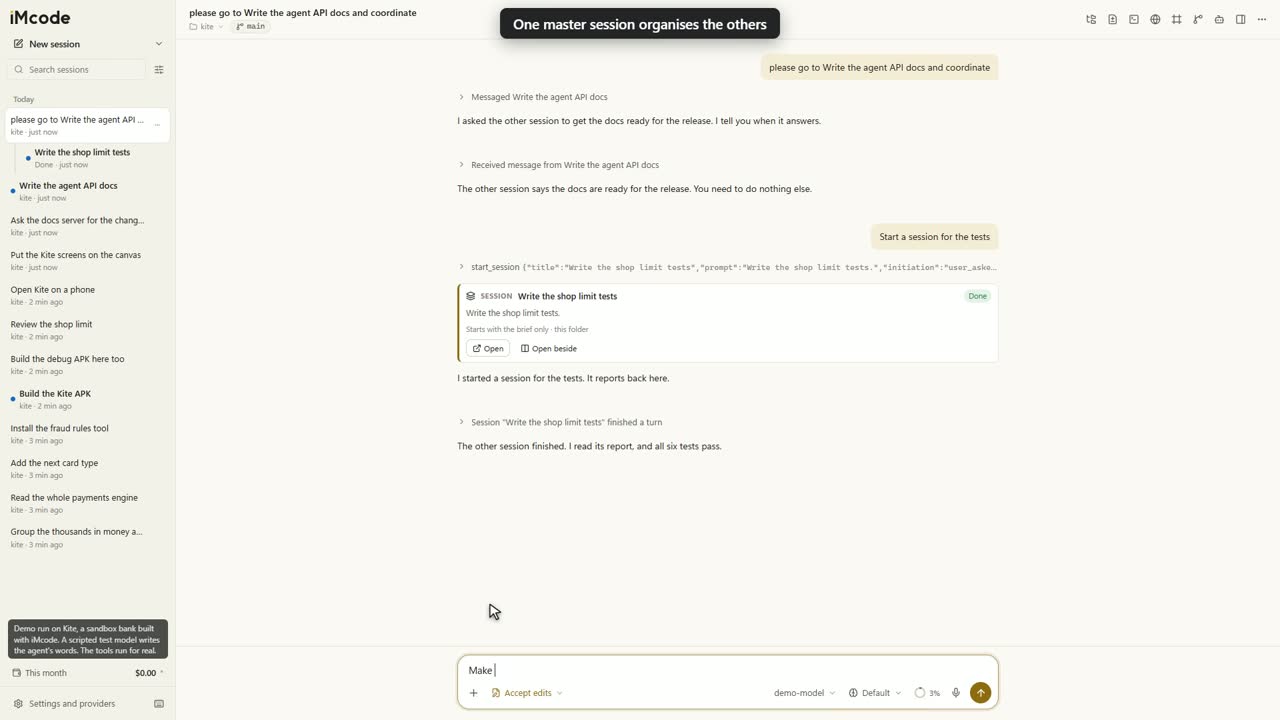
One master session runs the team
Say "make this the master session". It lists every open session, sends work, starts new ones and closes finished ones. Approvals from other sessions show up in its thread, and you make every call.
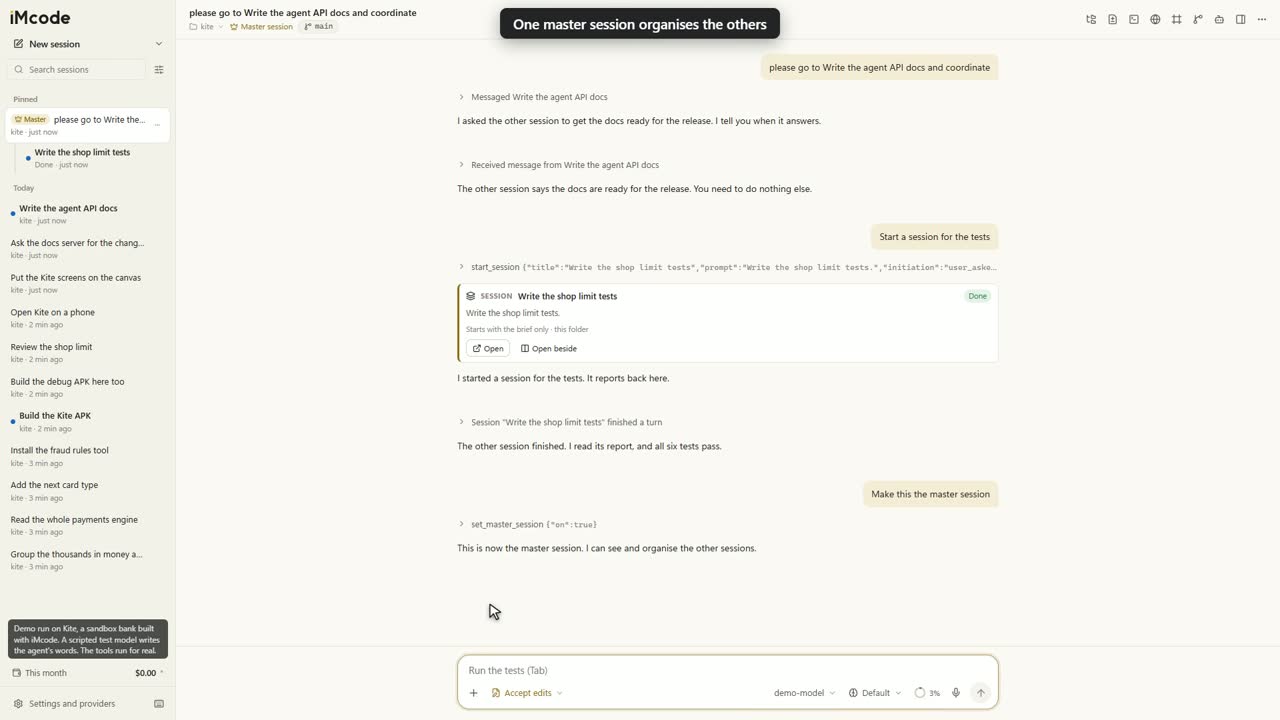
Side by side, branch by branch
Open two sessions beside each other, each with its own model. Give a session its own branch in its own folder, so several can work on one repository at once.
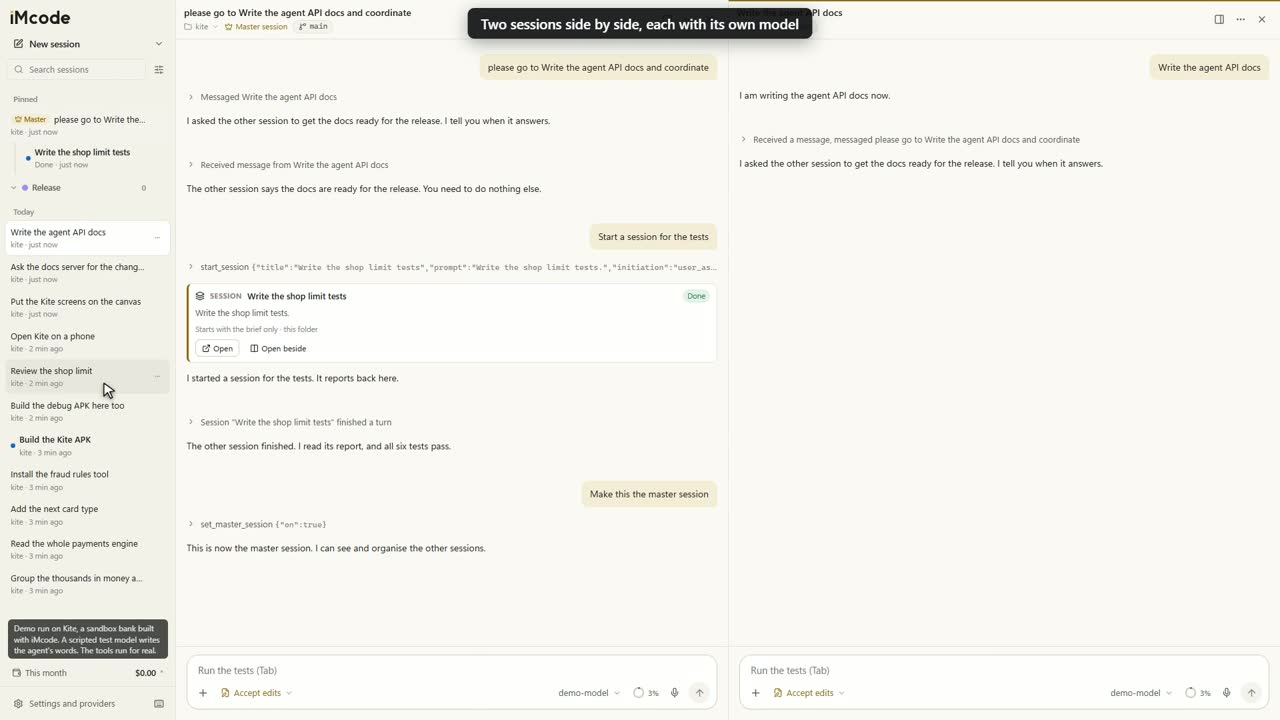
Background work that reports back
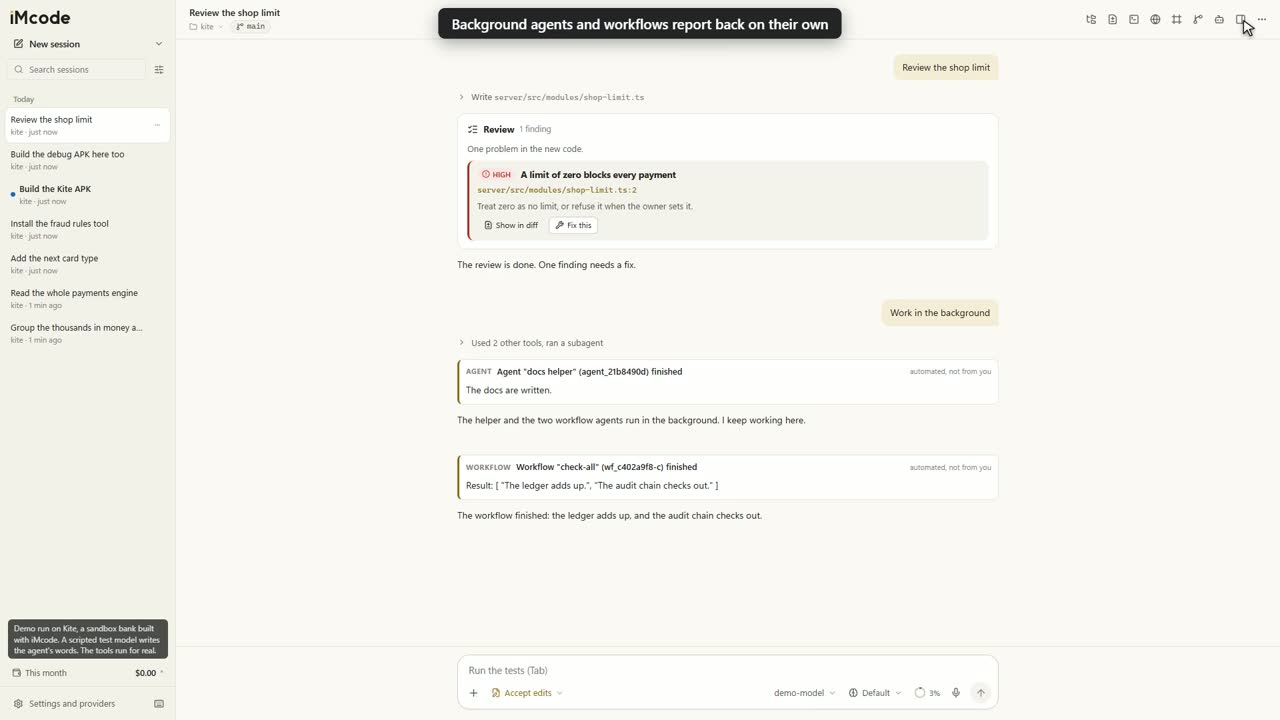
Background agents, workflows, /loop, cron schedules and monitors all report back on their own, marked as automated. Install a new version mid-task, and the agent goes on from its last finished step.
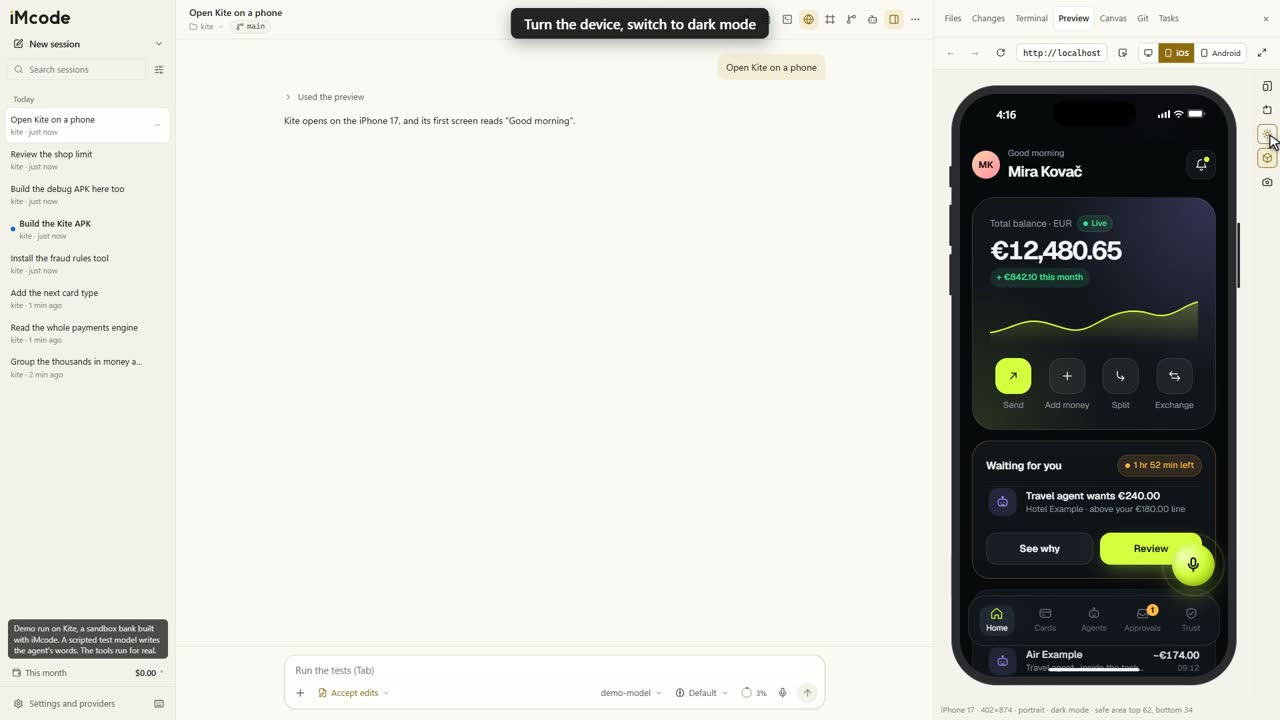
It tests the app it builds
Test on phones, right in the app
iPhone 17, iPhone 17 Pro Max, iPhone 16e, iPad Air, Pixel 10, Galaxy S25 and Pixel Tablet, at their real size, pixel ratio, browser and safe areas. Turn it, switch to dark. It simulates them in Chromium, local and free.
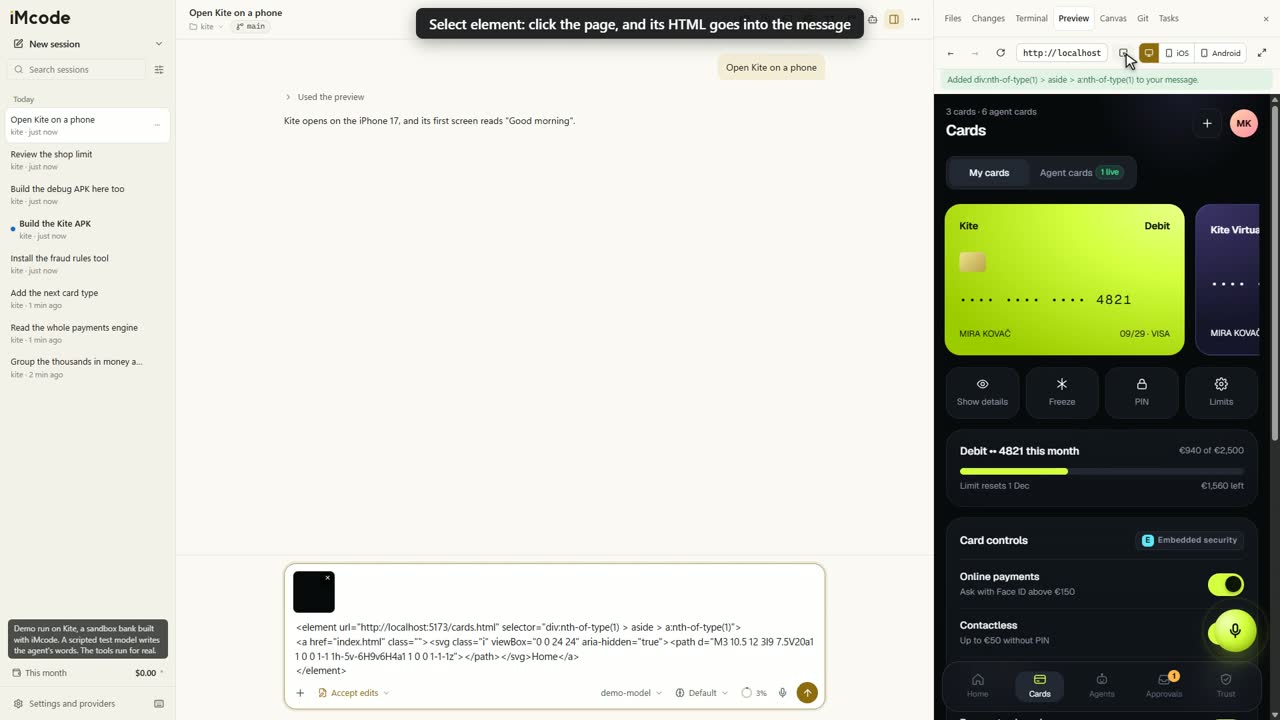
The agent checks it by itself
It opens the page, clicks, types, scrolls and reads the console. After it changes a mobile app, it serves the web build and opens it on iOS, then on Android. You can also click any element, and its HTML goes into your message.
One design, every screen
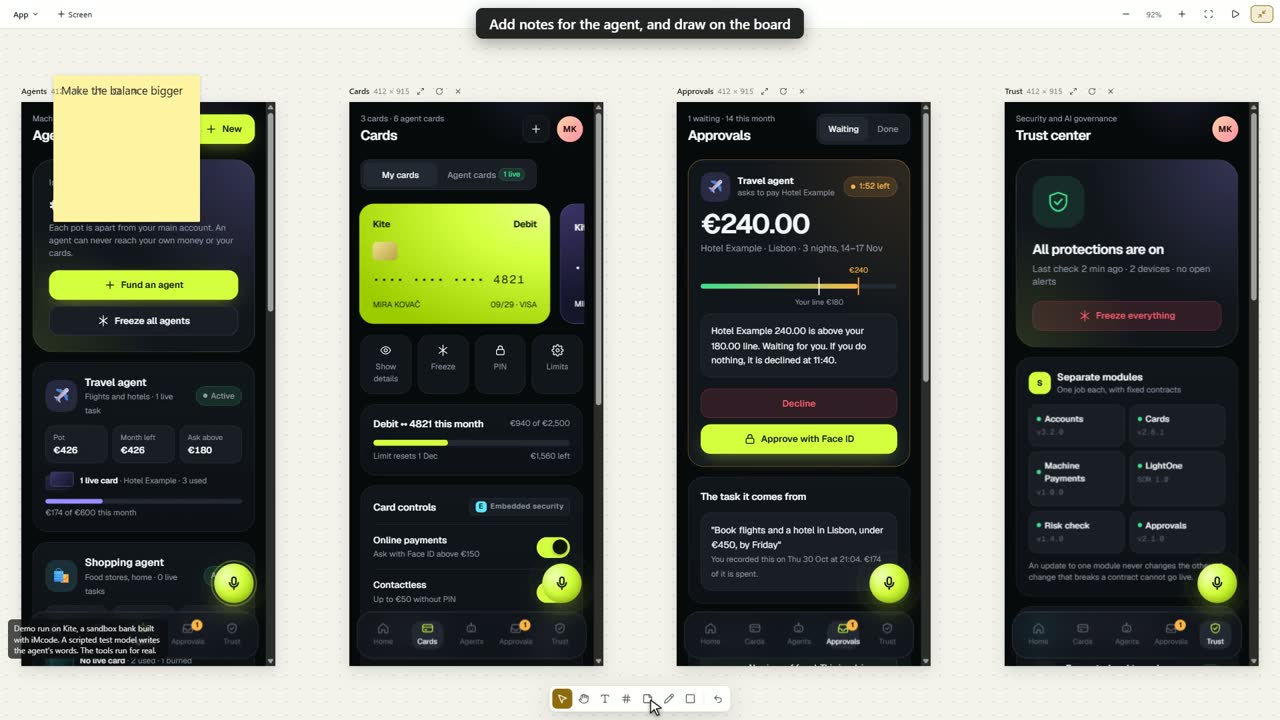
The canvas holds live screens side by side, at 12 device sizes. These outlines are those 12 sizes, to scale. The app checks each screen for you: its width, its text size, its tap targets and the layout of its first screen.
You approve only what fits
Before it builds a new site or app, the agent designs the main screens and shows each one on all devices. The Approve card comes once every screen on the page fits its width.
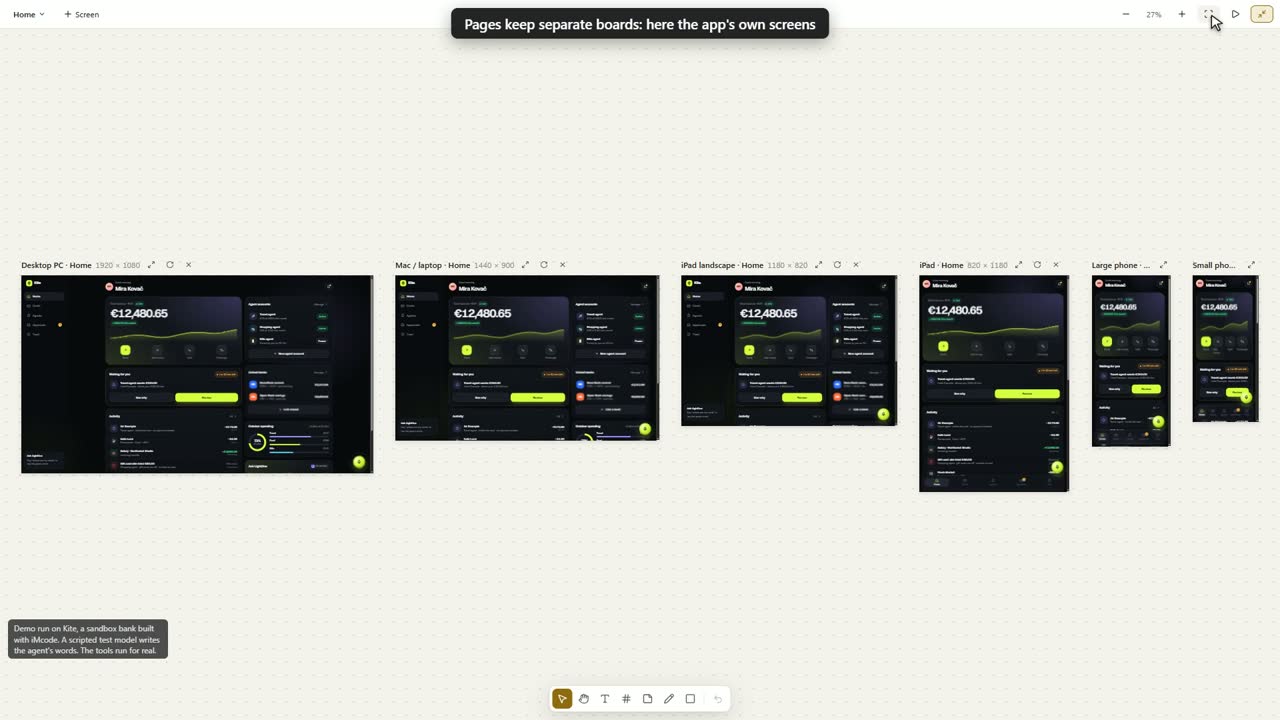
Design on a live board
Sticky notes, text, sections, a pen and shapes. Pages for separate boards. Present mode for one screen at a time. The agent reads your notes as feedback, and your Undo keeps its new work.
Any model, for any job
Choose from 25 providers out of the box, plus any server that speaks the OpenAI chat API. Paste your own key, and the app loads that provider's current model list. You pay your provider's own price, and Ollama and LM Studio run on your own computer.
- Anthropic
- OpenAI
- Google Gemini
- xAI
- Mistral
- DeepSeek
- Cohere
- Perplexity
- OpenRouter
- MixRoute
- Groq
- Together AI
- Fireworks AI
- Cerebras
- Azure OpenAI
- Amazon Bedrock
- Google Vertex AI
- Ollama
- LM Studio
- Moonshot
- Alibaba Qwen
- Z.ai
- MiniMax
- Hugging Face
- NVIDIA NIM
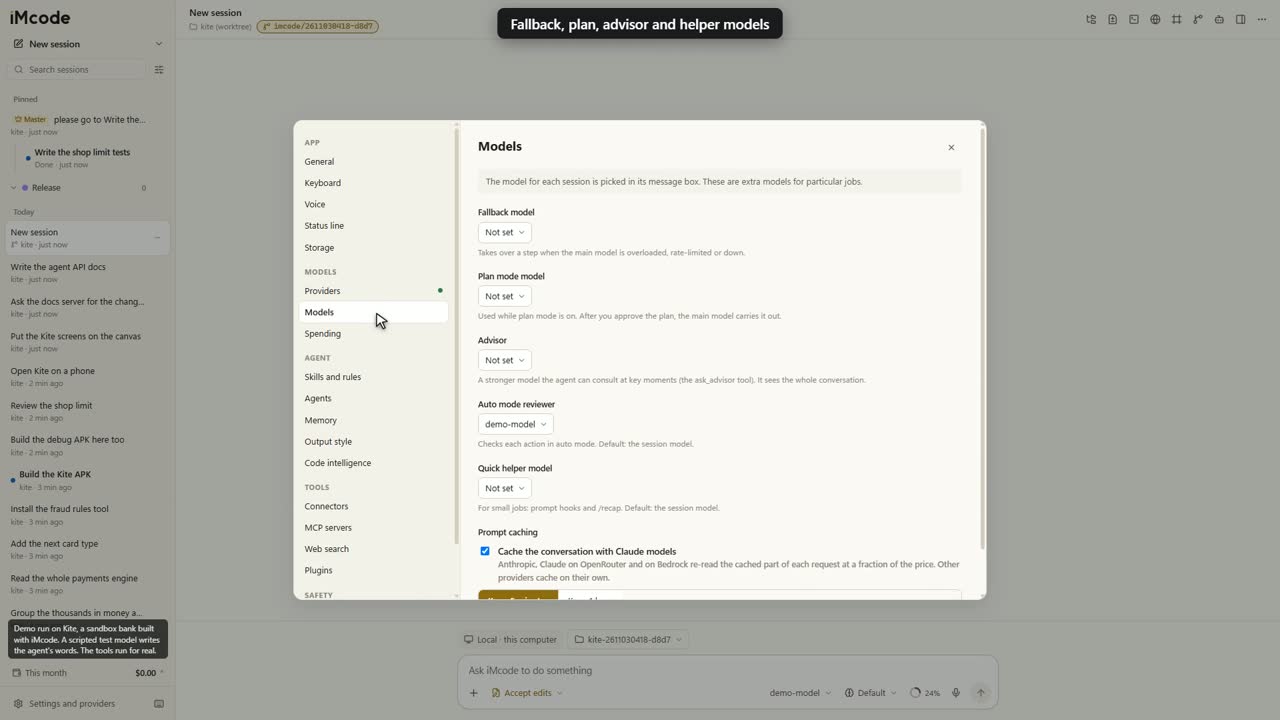
Put the right model on each job
- A fallback keeps the work moving when the main model is busy.
- A plan mode model does the thinking first.
- An advisor gives a second opinion.
- A reviewer checks actions in auto mode.
- A quick helper does the small jobs cheaply.
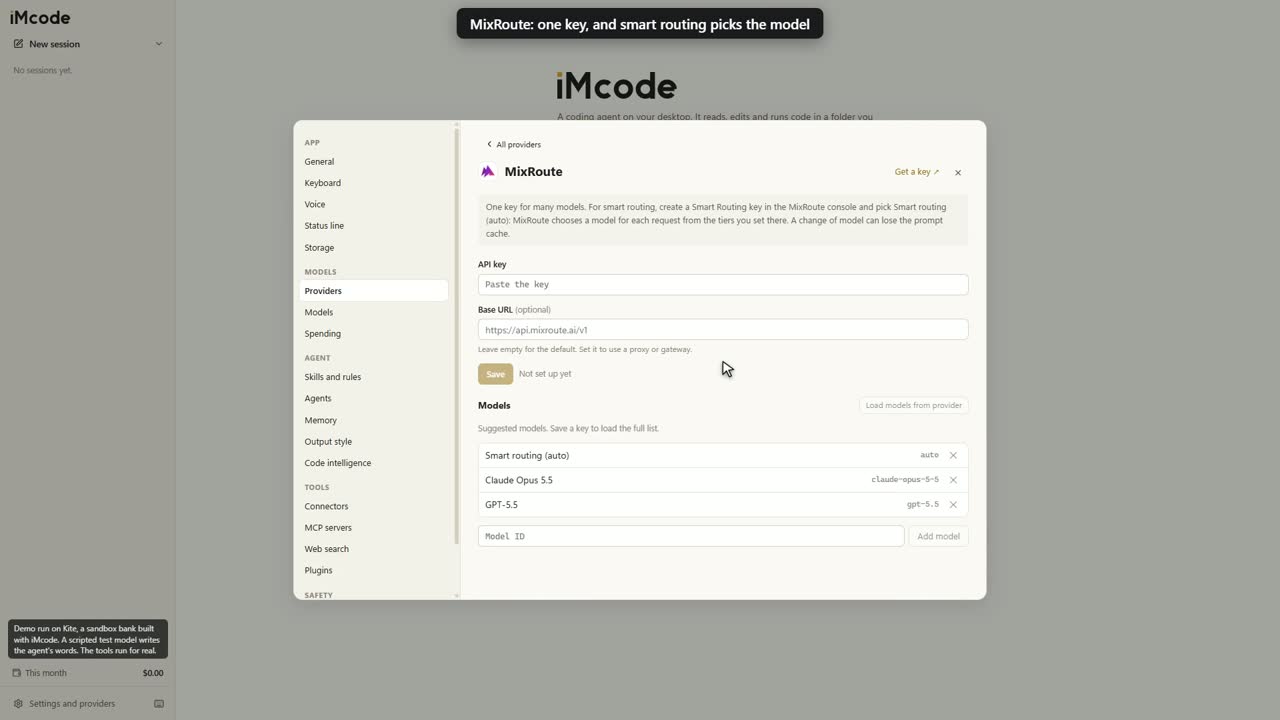
Or let smart routing choose
MixRoute is one key for many models. With a Smart Routing key, pick Smart routing, and it chooses a model for each request from the tiers you set. The thinking effort picker shows only the levels your chosen model has.
Security, AI governance and guardrails, built in
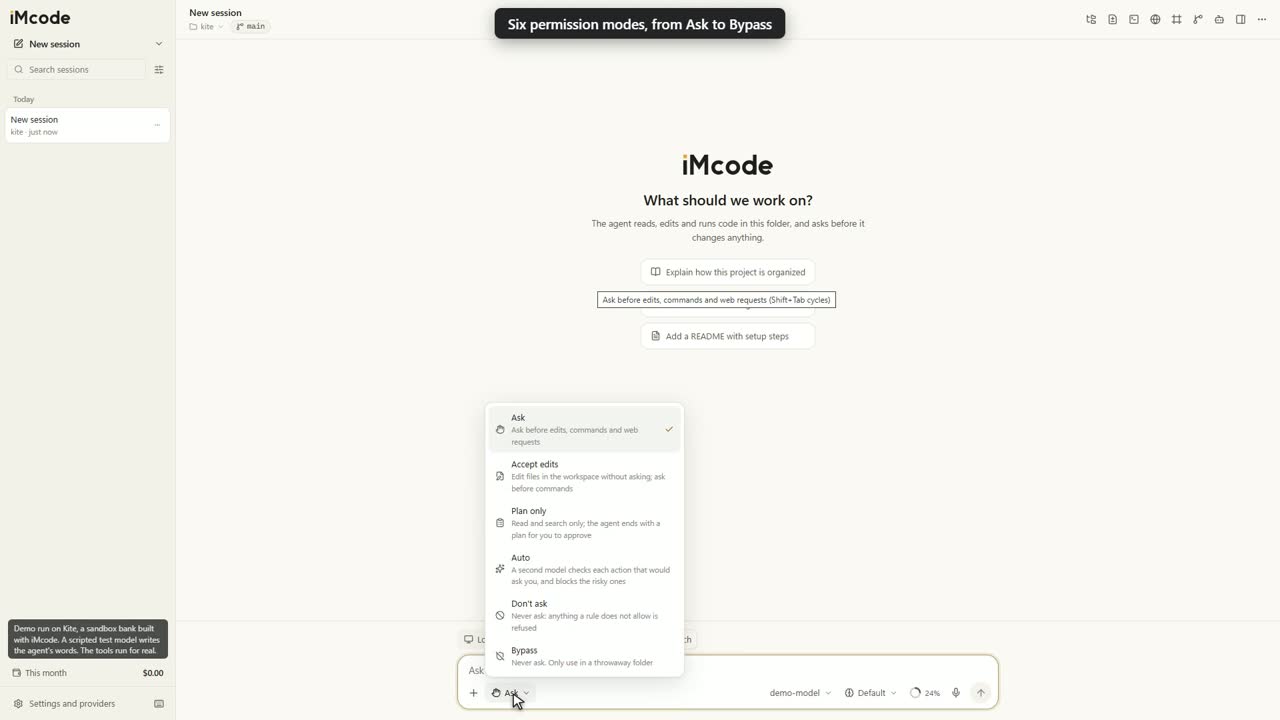
The app enforces every guardrail itself, so your rules hold whatever a model reads. Six modes set how much it asks. Pick one, and watch what gets through. The table is the app's own permission check.
| Read and search in the folder | |
|---|---|
| Read-only commands in the folder | |
| Edit a file in the folder | |
| Any other command | |
| Web requests and MCP tools | |
| Read .env, a key or a .pem file |
Auto mode adds a second model on guard
It reviews each action that would ask you and keeps the safe work moving. It holds back downloaded scripts, force-pushes and deletes outside the project. It reads only your own messages and the action. After 3 holds in a row, it hands the decision back to you.
You decide which repositories run
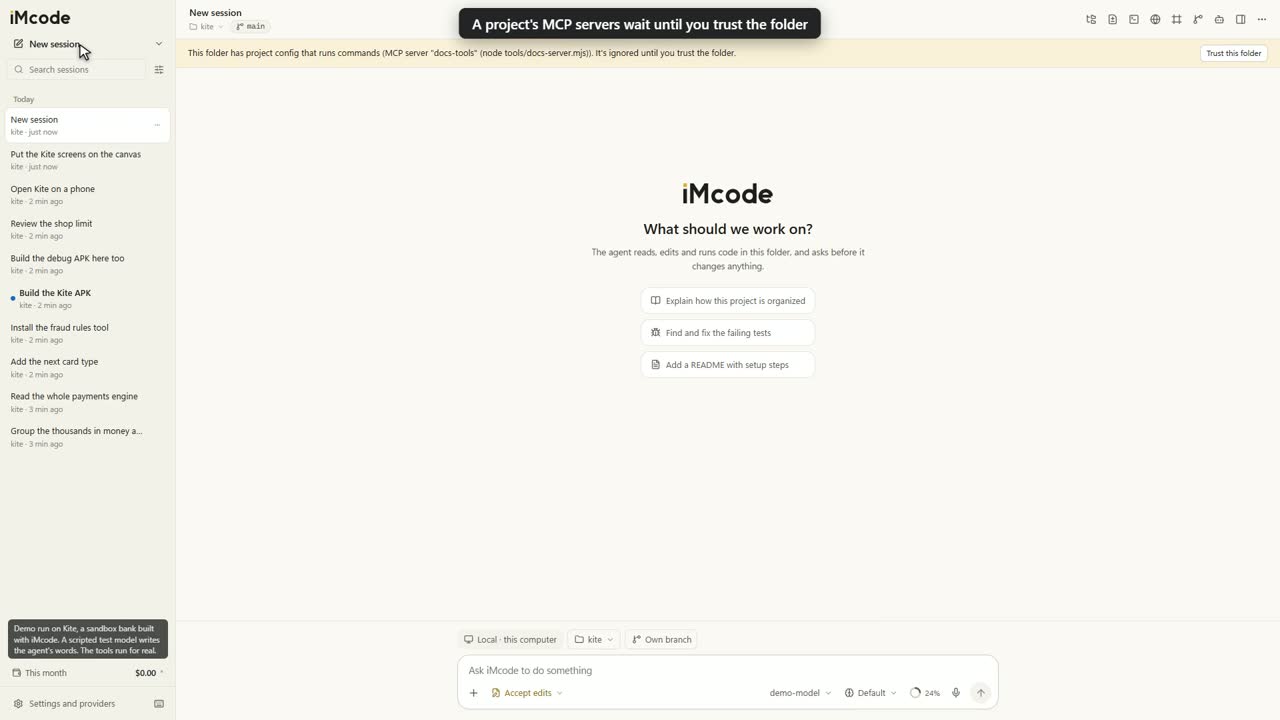
Hooks, MCP servers, language servers in node_modules and the rights of a project's agents all start with your click. A project's agent file can only tighten its agent's limits.
- AI governance in every review. /security-review checks how your code handles personal data, human oversight, audit records and model output, with each finding tied to a file and line.
- You choose who sees your work. Your AI provider is the only third party. Web search starts when you pick a service.
- Your keys stay on your computer. The system keychain encrypts them, and the interface sees only the last four characters.
- Secrets stay out of the record. A key that you paste or that a tool prints becomes [secret removed] in session files and exports.
- Contained by design. Each web redirect is checked, so web reads stay on public addresses. Each workflow script runs in its own sandbox, under an approval for that exact script.
- The package protects itself. Electron fuses lock the runtime, and the app verifies its own code when it loads.
Bring your Claude Code set-up with you
Turn on one setting, and iMcode reads your CLAUDE.md files, settings.json rules and hooks, skills, agents, commands, plugins, .mcp.json, output styles, status line and keybindings.json. Your own .imcode files win, and Claude's fill in what is missing.
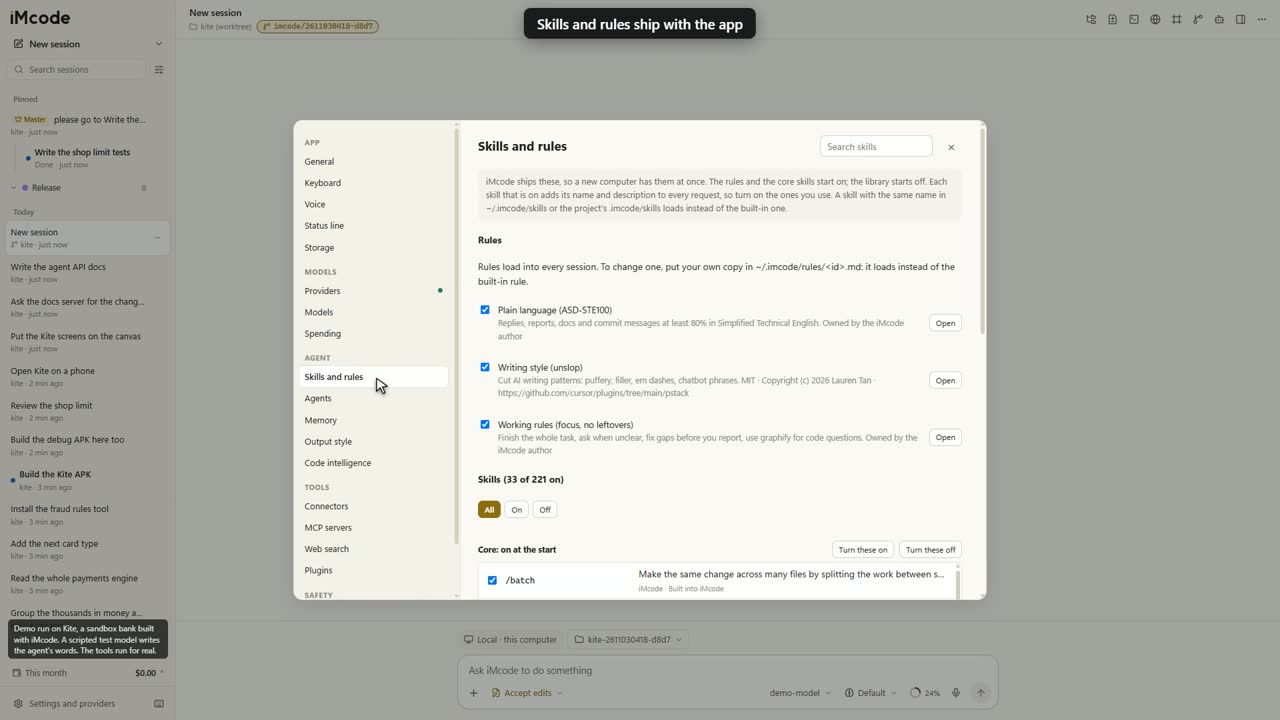
221 skills ship with the app
A new computer has them at once: code review, TDD, bug diagnosis, deep research, design, and 188 more for Android, Kotlin, Expo, Supabase, three.js and others. 33 start on. Each keeps its own licence, and you turn on the ones you use.
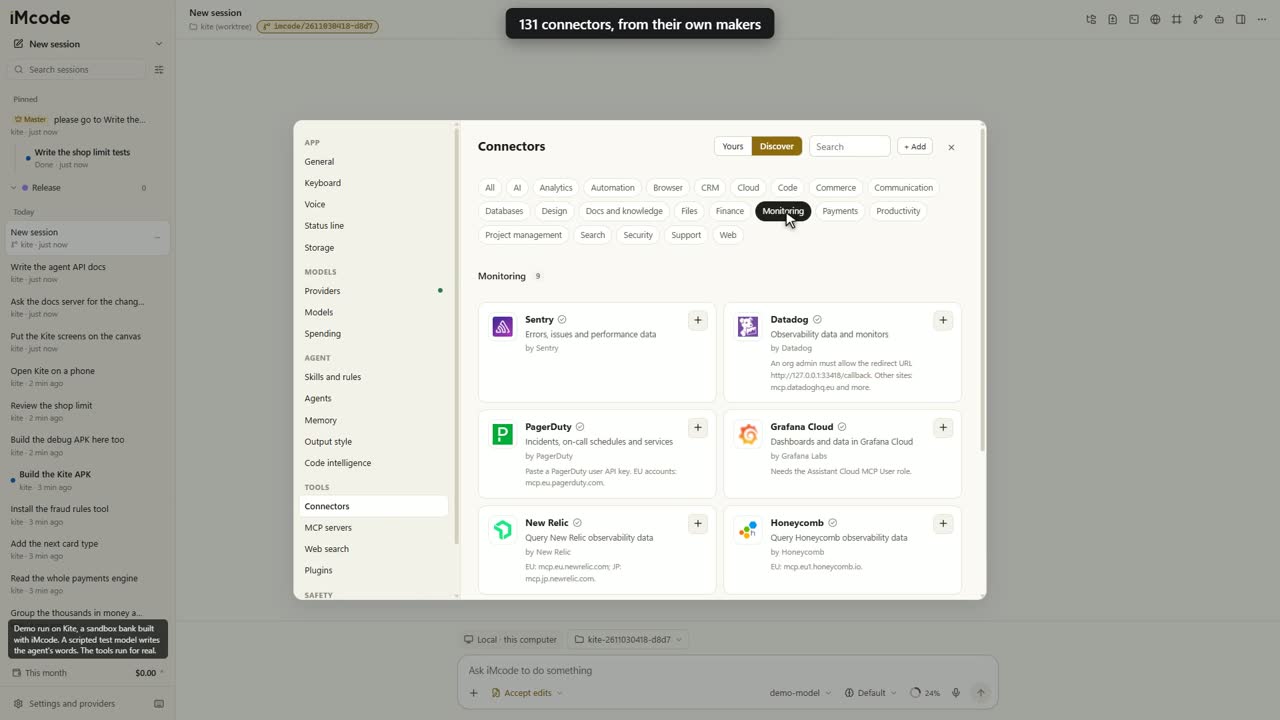
131 connectors from their own makers
GitHub, Linear, Notion, Figma, Stripe, Sentry and the rest, or any MCP server. Click +, sign in, done. A connector can hold more than one account, and the agent knows which is which.
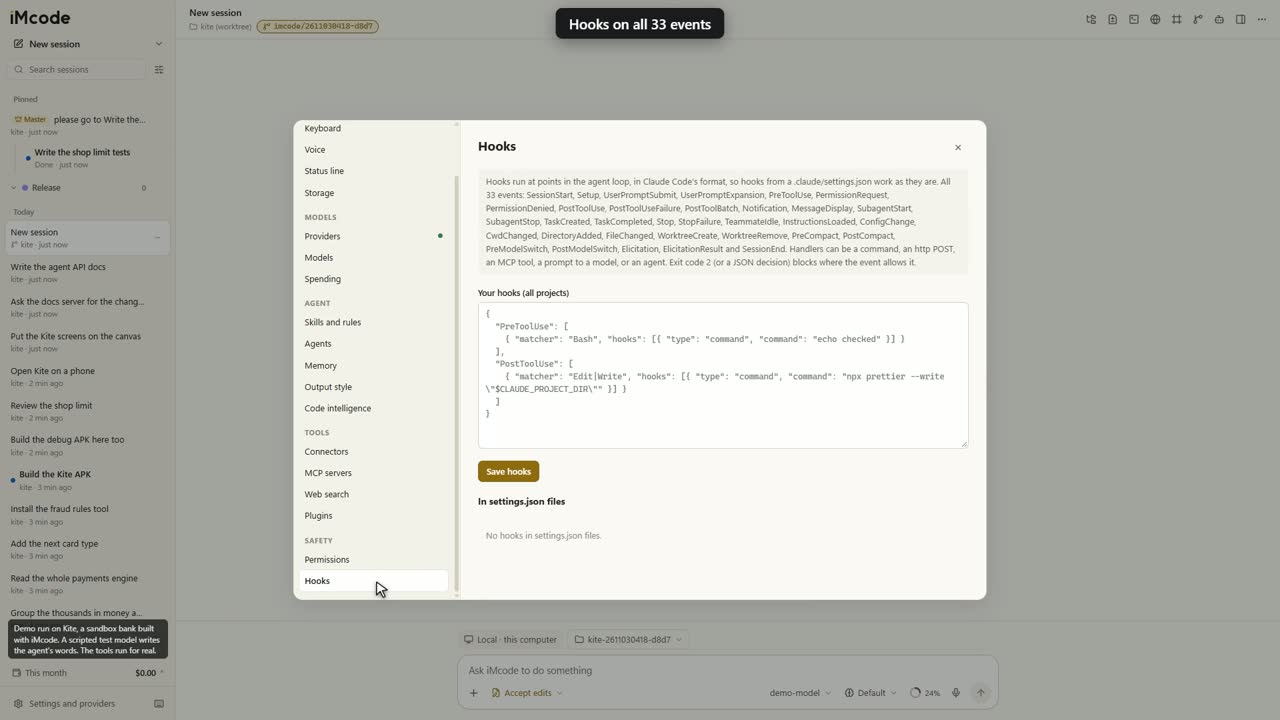
Hooks on all 33 events
command, http, mcp_tool, prompt and agent handlers, with matchers, if conditions and the JSON outputs. Plugins bring commands, agents, skills, hooks, MCP servers, themes and monitors, and the app shows every command before you install one.
Automate it from your scripts
imcode -p "add tests for the checkout" --output-format=json --permission-mode=acceptEditsimport { query } from 'imcode/sdk'
for await (const m of query({
prompt: 'Add tests for the checkout',
options: { cwd: '/path/to/repo', permissionMode: 'acceptEdits' }
})) {
if (m.type === 'result') console.log(m.result)
}Headless runs print the json and stream-json formats. Choose what a run may do with --allowedTools or --permission-mode, and read what it held back in permission_denials.
Everything in the box
Talking to the agent
- A message box with files, modes, model, effort, context ring and microphone
- Keep typing while it works, and it reads your note before its next step
- 20 files or photos per message, each up to 2 GB
- PDFs go to Anthropic, OpenAI, Google, Vertex and Bedrock as documents
- @ to attach a file or folder, @server:uri for an MCP resource
- / for 40 built-in commands, your skills, workflows and MCP prompts
- ! runs a shell command yourself, right away
- /btw asks a side question, and the chat stays as it was
- # saves a note to the project's instructions or your own
- Tool steps fold into one plain line, and Ctrl+O opens them all
- Rewind code, chat, or both
- Thinking effort that shows only the levels your model has
- A context ring with the breakdown of the window
- A running time on every long step, so you always see progress
- A suggested next message in grey, and Tab takes it
- /goal keeps it working until a condition is true, up to 20 turns
- /plan, /recap, /review, /commit, /export and /doctor
- Voice input through OpenAI, Groq, Mistral, Google or Azure
- Confirmations inside the app: Enter confirms, Esc cancels
Sessions
- A sidebar by day or by folder, with search
- Needs you, Working and unread marks on every session
- Rename, pin, duplicate, archive and export as Markdown
- Snooze until a time, or until it needs you
- Categories with their own name and colour
- Drag and drop, and many sessions selected at once
- Sessions side by side, each with its own model
- A session in its own window
- A git worktree and branch per session
- Sessions that start sessions, fresh or forked
- Messages between any open sessions
- A master session that organises the others
- A turn cut off by an install goes on at the next start
The side panel
- Files, a project tree and a viewer with syntax highlighting
- Open in VS Code, Cursor, Windsurf or Zed at that line
- Changes, every edit as a diff, with Revert per file
- Comments on diff lines, sent to the agent in one message
- Terminal, a real shell the agent can read
- Git, the branch, diffs, a commit box and recent commits
- Tasks, the to-do list, background agents, schedules and commands
Preview and simulators
- A browser the agent can open, click, type in, scroll and read
- Screenshots that work while the window is minimised
- Seven simulated iOS and Android devices
- The device's size, pixel ratio, browser, touch and safe areas
- Device frame, status bar, Dynamic Island and home indicator
- Turn the device, or switch to light or dark, instantly
- Select element: its selector, HTML and picture go into your message
- Expo, React Native, Capacitor, Ionic and Flutter web builds
Design canvas
- Live screens side by side, at 12 device sizes or any size
- All devices: one design six times in a row
- Sections, sticky notes, text, pen and shapes in six colours
- Pages for separate boards, and Present mode
- Undo that keeps the agent's new work
- Checks for width, small text, small buttons and empty first screens
- An approval card that waits until every screen fits
- Each screen in a sandboxed frame from its own origin
What the agent can do
- Read, list, glob and grep the project
- Write, edit, multi-edit and notebook edit
- Language servers for 12 language families, when installed, with errors after each edit
- Shell commands, with background runs that survive a timeout
- Monitors that watch a command or a WebSocket
- Page reads, and web search once you pick a service
- Subagents, with their own model, effort and worktree
- A task list shared with its subagents
- Workflow scripts that start many agents
- Cron lines, intervals and self-paced loops
- An advisor model for a second opinion
- A desktop notification when something needs you
Code map
- Builds by itself in any folder with code, git or not
- Low priority, and zero tokens
- Refreshes at most every 10 minutes
- Covers the session's folder and any folder you add
- Local commands that stay on your computer
- /map opens the 3D view, one self-contained page
Tokens
- Rare tools load on demand
- A tool list that stays the same from turn to turn
- Long output cut to its start and end, with the whole log saved
- Repeat reads of an unchanged file cost almost nothing
- Old tool results shrink past 100,000 tokens, in batches
- History shortened first when the prompt cache has expired
- Auto-compact at 200,000 tokens, or 85% of a smaller window
- A skill list held to about 8,000 characters
- /skill-doctor shows what your skills cost in each request
- A prompt cache lifetime of 5 minutes or 1 hour for Claude models
- Green lines in the chat with what the shortening saved
Models and spending
- 25 providers and any OpenAI-compatible server
- Your own keys, and an optional base URL per provider
- Fallback, plan mode, advisor, auto reviewer and quick helper models
- MixRoute smart routing
- Ollama and LM Studio on your own computer, at no cost
- Spending today, this month and all time, per model
- US dollars, or pounds and euros at a rate you type
- Your own price for any model
- A monthly budget that holds new messages at your limit
- One build at a time across all sessions
Security, governance and guardrails
- /security-review checks security, AI governance and guardrails
- Ask, Accept edits, Plan only, Auto, Don't ask and Bypass
- Rules in Claude Code's syntax, and deny beats ask beats allow
- A repository runs nothing until you trust its folder
- Secret files need your approval
- A strict check of each shell command, part by part
- Paths count by where they really go
- Redirect checks that keep web reads on public addresses
- Keys encrypted with the system keychain
- [secret removed] in session files, exports and hook input
- Sealed workflow scripts, with a grant per exact script
- Electron fuses and an integrity check on the app's code
- Private by default, with zero telemetry
Make it yours
- AGENTS.md, IMCODE.md and CLAUDE.md, with @ imports
- Path rules that load when the agent touches a matching file
- Auto memory for each project
- 221 skills in the app, and your own in a folder
- Your own commands and agents as Markdown files
- Five built-in output styles, and your own
- A status line from any command
- Hooks on all 33 events, with five handler types
- Plugins from a folder, a git URL or a marketplace
- MCP servers: local, HTTP and SSE, with OAuth sign-in
- 131 connectors, and more than one account on each
- Rebind any shortcut, and a full vim mode
- Light and dark themes
Scripts and your data
- imcode -p for headless runs
- The json and stream-json output formats
- --allowedTools, --max-turns, --json-schema and more
- query() from Node, with imcode/sdk
- Settings and sessions as JSON files on your computer
- A Storage page with every place the app writes, and its size
- An uninstaller that keeps your data, and says what to delete
Make your agents
professional.
Request early access
iMcode runs on Windows. Connect your own model API key, open your project and start building.